
SET IPTV – Premium IPTV channels
If you are using LG or Samsung Smart TV, then you can install this app directly with the supported app stores.
1. On the Samsung/LG Smart TV remote, press the Home button.
2. Select Samsung Smart Hub/LG TV Content Store.
3. Click on the Search icon to find Set IPTV.
4. Select the app and click the Install button.
5. Click Open to launch and activate the player on your smart TV.
How to Activate & Setup Set IPTV
1. Open the Set IPTV app on your device and note down the Mac address displayed on your screen.
2. Then, open a web browser on a different device and visit the activation website of the IPTV Player.
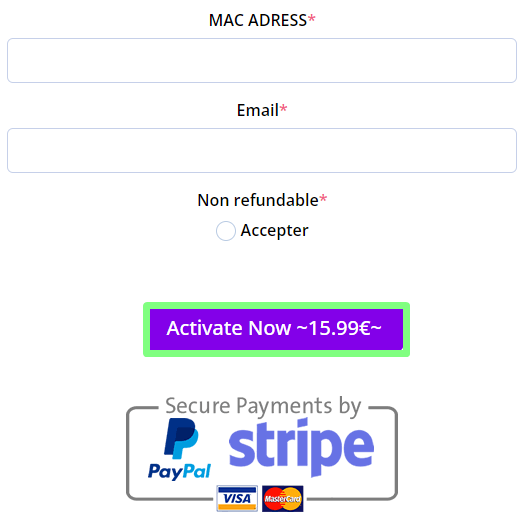
3. On the bottom of the website, enter your Mac and email address.
4. Click on the Activate Now ~15.99€~ button and finish the payment process.
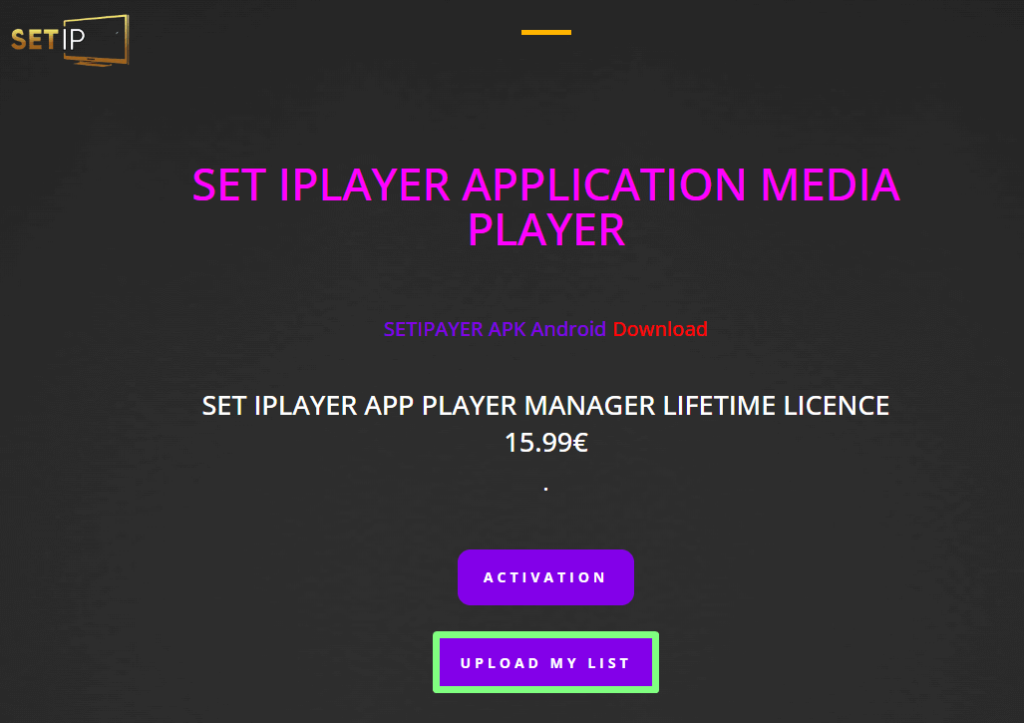
5. After payment is done, go to the home screen of the website and select the Upload My List button.
6. Choose M3U Link or Xtream Codes to fill up the login details.
7. Now, hit the Submit button to upload the IPTV content.
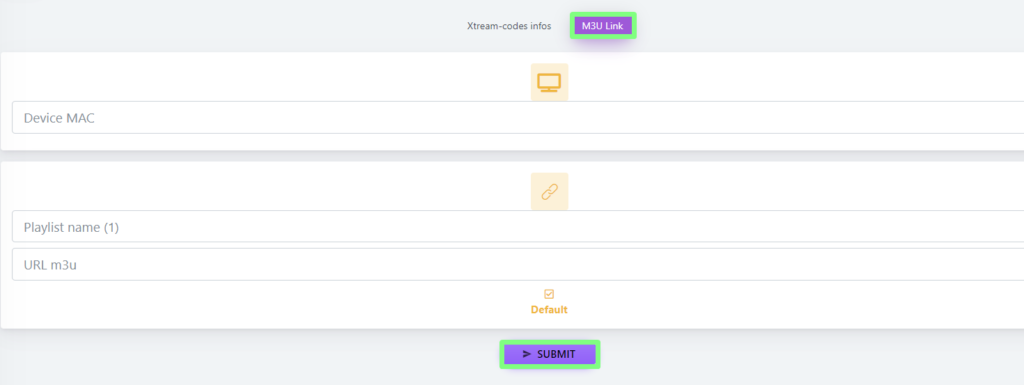
6. Choose M3U Link or Xtream Codes to fill up the login details.
7. Now, hit the Submit button to upload the IPTV content.
you can get your subscription from here 4KIPTVSUBS.COM
SET IPTV in 2026: what to know
- Where it runs: Samsung (Tizen) and LG (webOS) Smart TVs, plus some other platforms.
- How it connects: your M3U link is uploaded on the developer's website against your TV's MAC address.
- Cost: a trial, then a one-off activation fee paid to the developer — see why Smart TV apps charge activation fees.
Uploading your playlist, step by step
- Open SET IPTV on the TV and note the MAC address.
- On a phone or computer, open the SET IPTV website's playlist upload page.
- Enter the MAC address exactly (including colons) and paste your M3U link.
- Add your EPG link if the site offers a field for it — see adding an EPG URL.
- Restart the app on the TV.
Common problems
| Problem | Fix |
|---|---|
| No channels after upload | Check the MAC; restart the app or unplug the TV for 30 seconds |
| Guide empty | Add the EPG link; refresh |
| Channels buffer | Use Ethernet — see the buffering checklist |
| "Trial expired" | Activate the app with the developer, or switch to a free player |
Alternatives
If you'd rather not pay an activation fee, a Fire TV Stick or Google TV device runs free players — see the best device for IPTV and the Samsung and LG guides.
Frequently asked questions
Is SET IPTV free?
SET IPTV offers a trial period, after which the developer charges an activation fee for your TV's MAC address. That fee is separate from your IPTV subscription.
How do I upload my playlist to SET IPTV?
Open the app on your TV to see its MAC address, then on the SET IPTV website enter that MAC address and your M3U link, and restart the app.
Why does SET IPTV show no channels after uploading?
Usually the MAC address was mistyped, or the app hasn't reloaded. Check the MAC matches exactly and restart the app or the TV.
Tags
- Affordable IPTV Plans
- Best IPTV Service
- HD IPTV Streaming
- IBO Player
- IPTV Channel List
- IPTV Customer Support
- IPTV for Android
- IPTV for Firestick
- IPTV for iOS
- IPTV for Movies
- IPTV for Smart TV
- IPTV for Sports
- IPTV for TV Shows
- IPTV Free Trial
- IPTV HD Quality
- IPTV Live TV
- IPTV Service Providers
- IPTV Service Reviews
- IPTV Subscription Plans
- Premium IPTV Channels
- Reliable IPTV Service


