Skip to content
Free 24-hour test — no card needed. Claim it on WhatsApp →
4K IPTV Subs

How To Install IPTV Smarters on Firestick

Updated 2 min readBy the 4kiptvsubs team

How To Install IPTV Smarters on Firestick

How To Install IPTV Smarters on Firestick

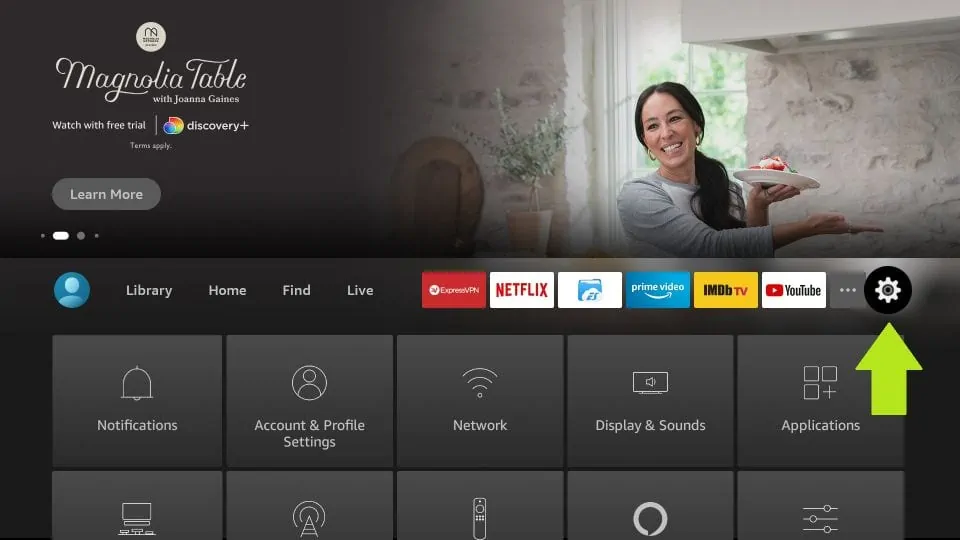
Step 1= Open setting

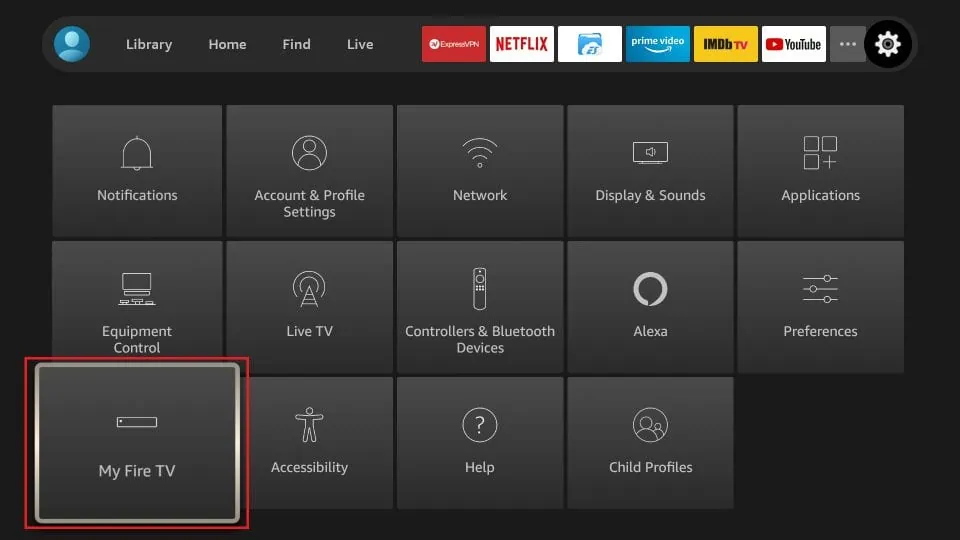
Step 2= Click My Fire TV

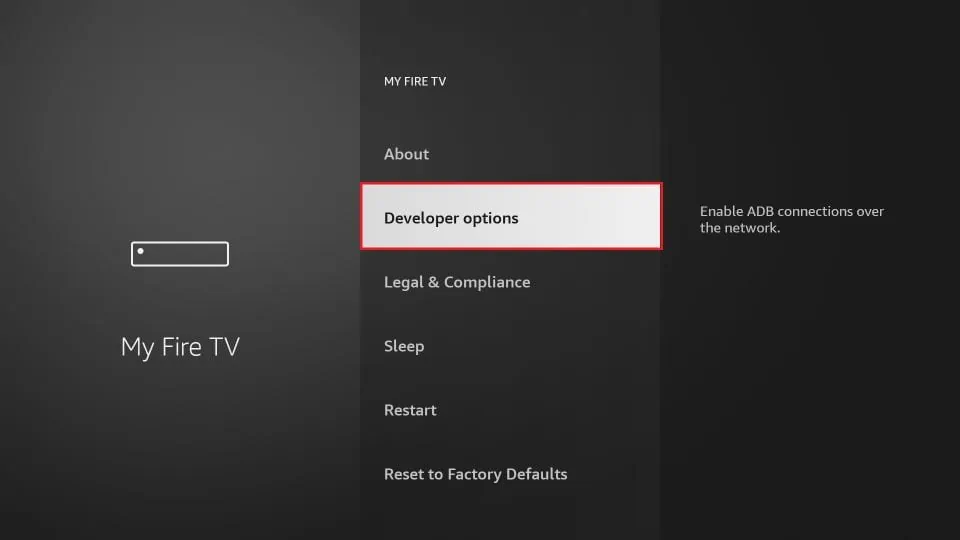
Step 3= Select Developer Options
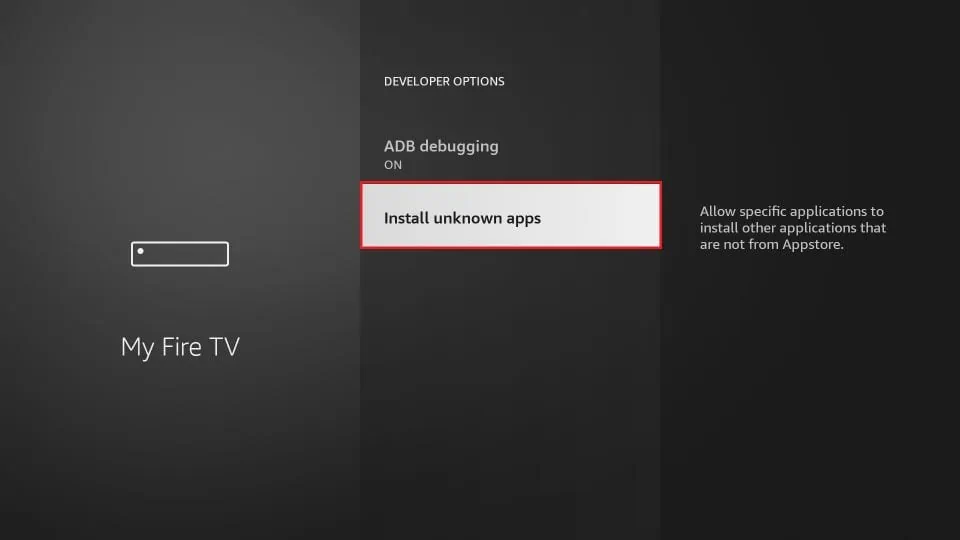
Step 4= Click Apps from Unknown Sources
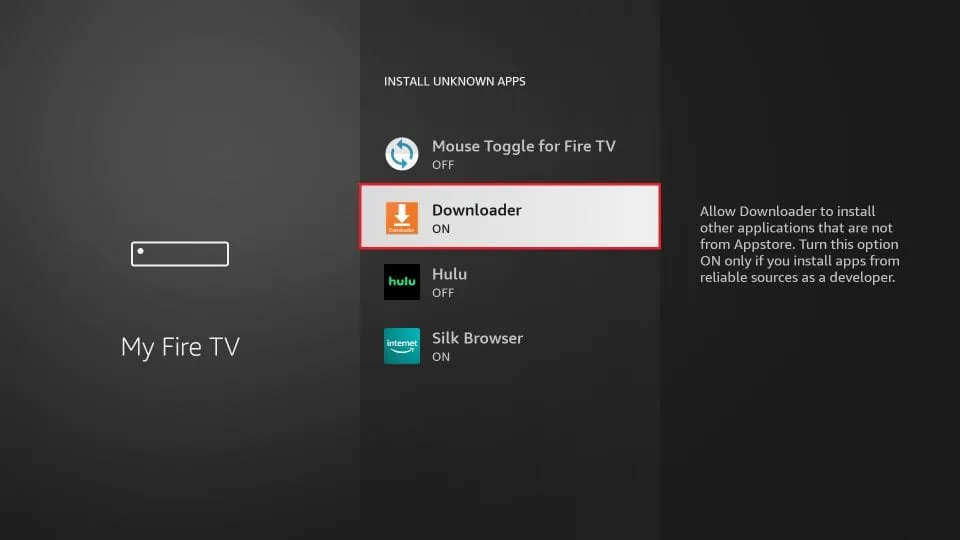
Step 5= Allow downloader in install apps from other sources
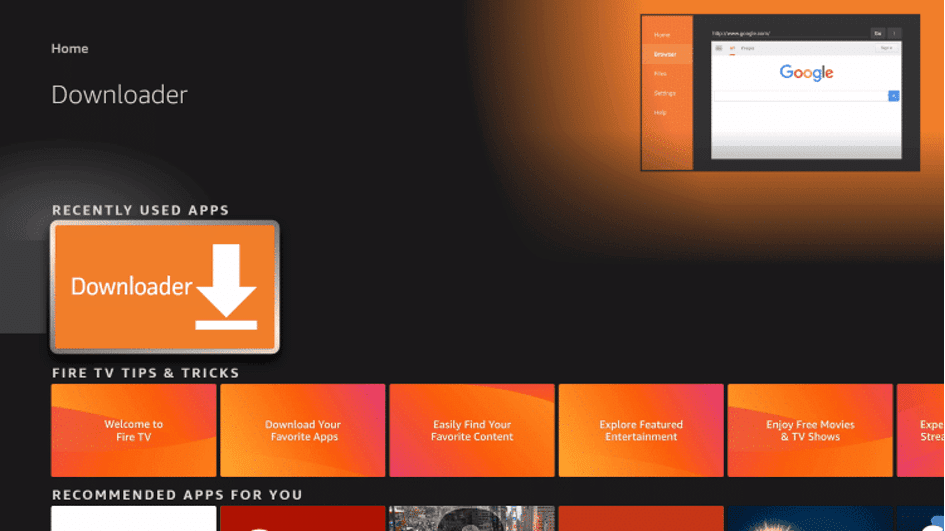
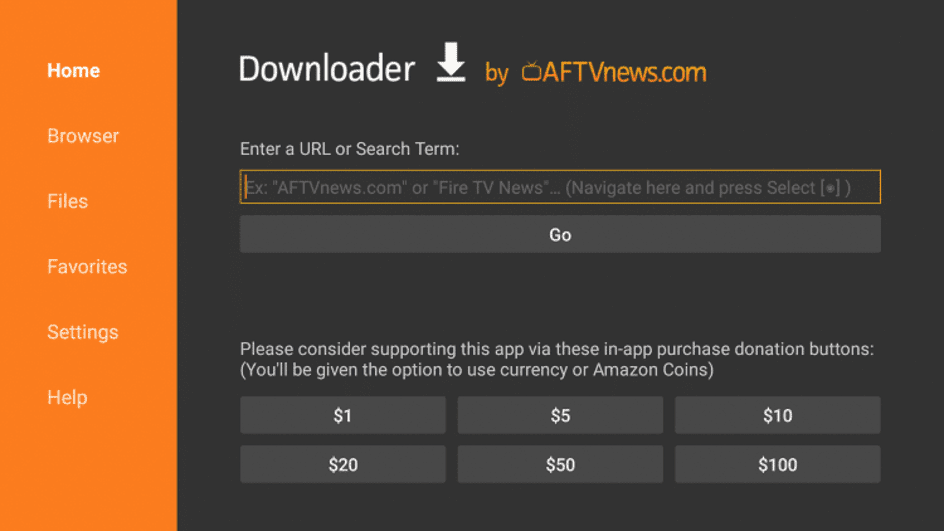
Step 6= Launch Downloader.
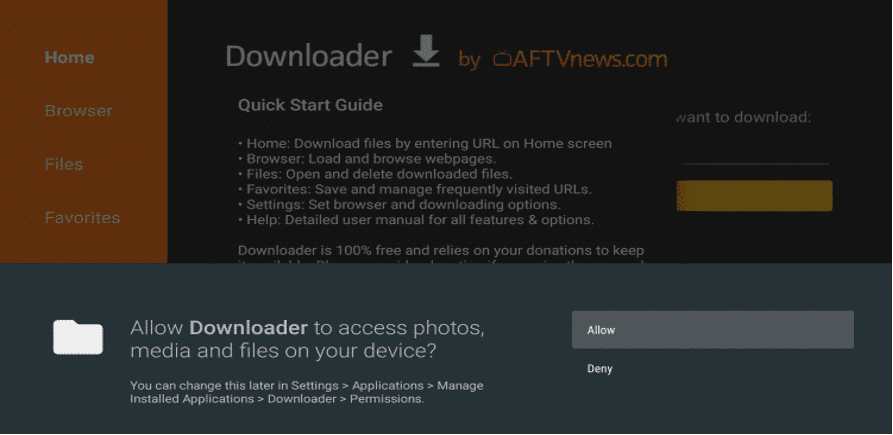
Step 7= Click Allow.
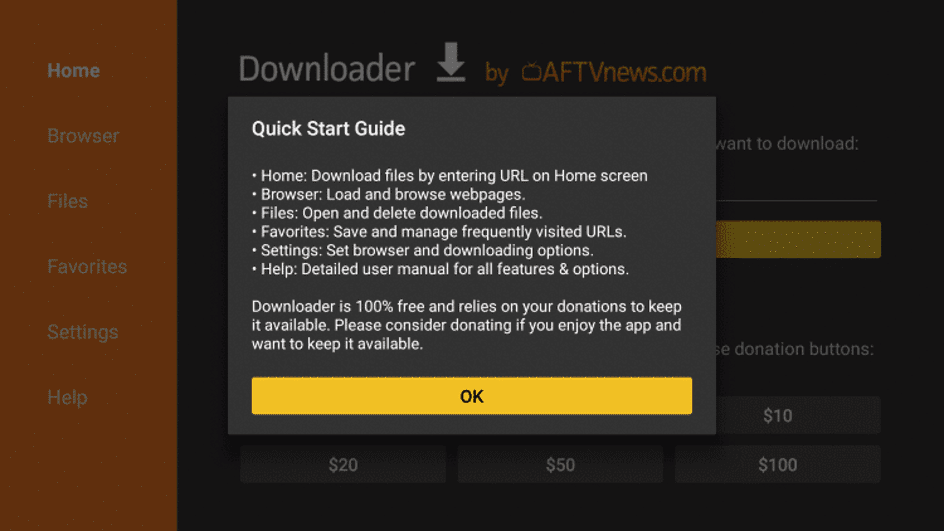
Step 8= Click OK.
Step 9= Type the following URL:
https://www.iptvsmarters.com/smarters.apk
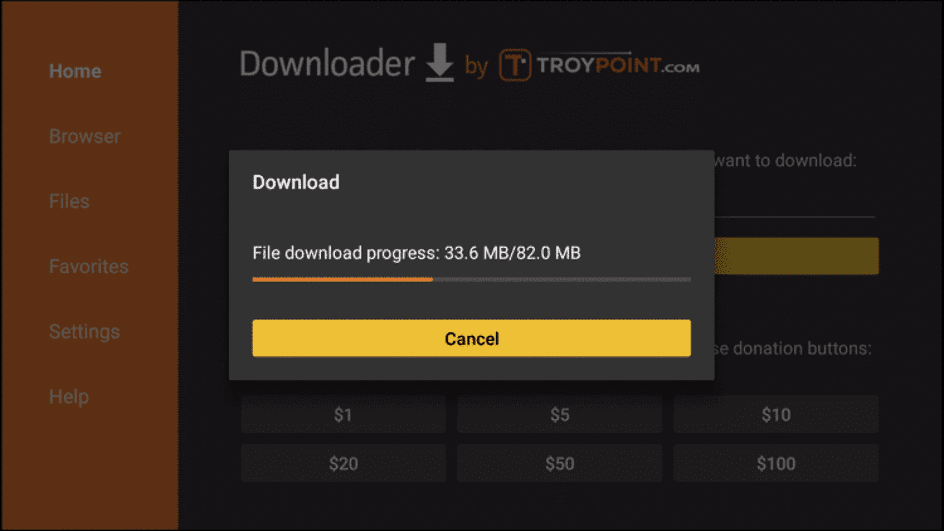
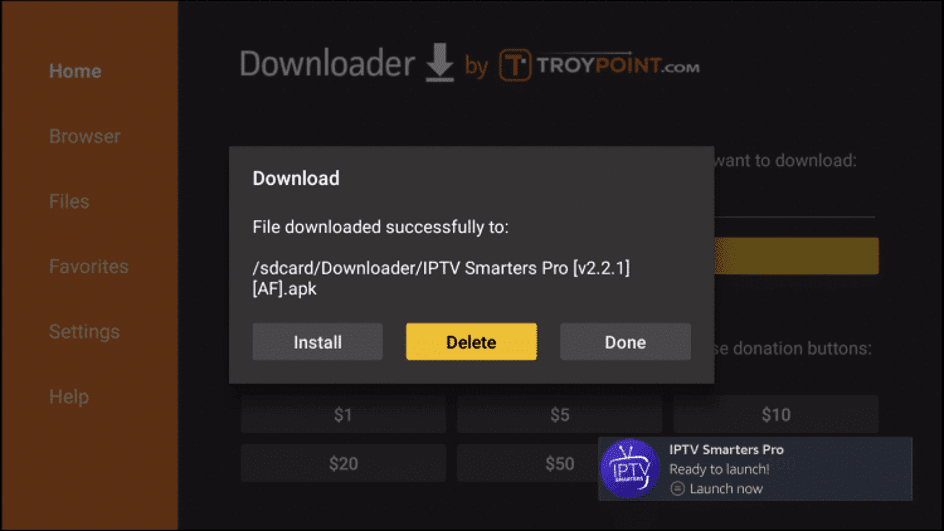
Step 10= Wait for file to download.
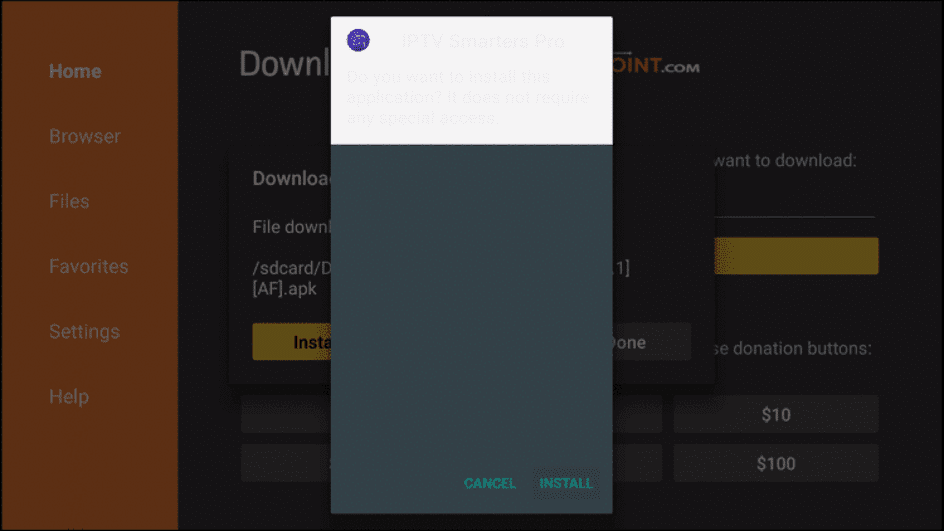
Step 11= Click Install.
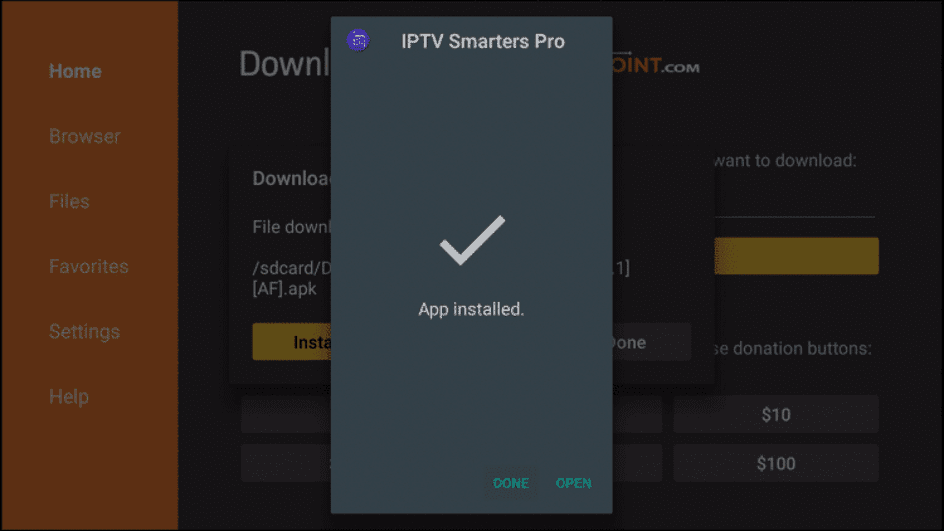
Step 12= Click Done
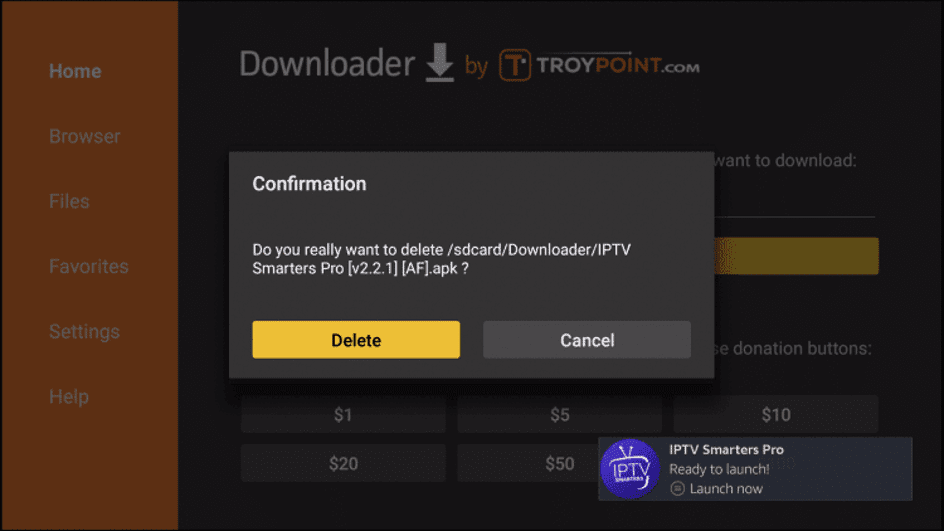
Step 13= This will take you back to Downloader. Click Delete.
Step 14= Click Delete again.
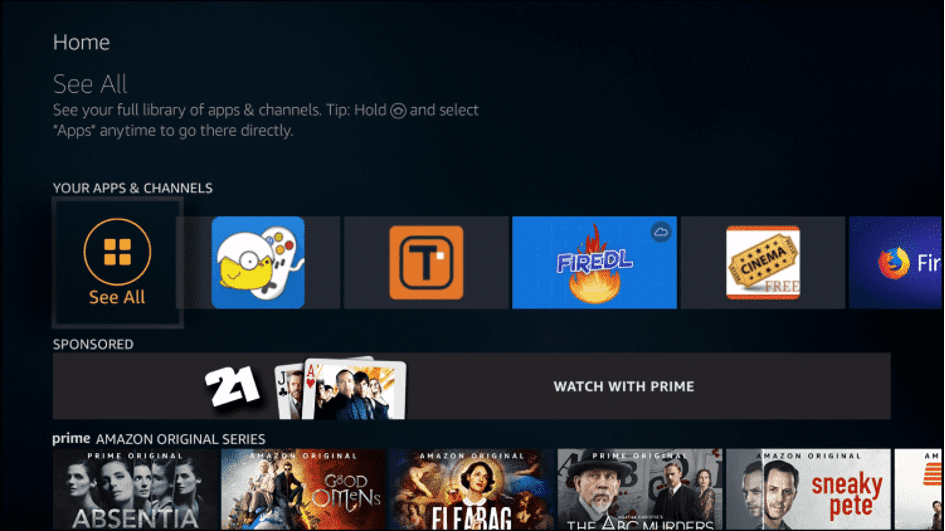
Step 15= Return to device home-screen and under “Your Apps & Channels” click See All.
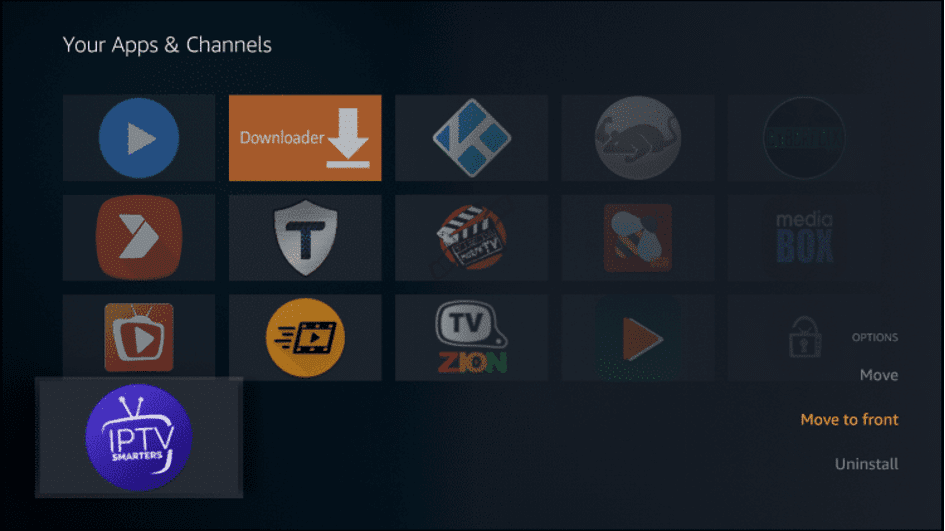
Step 16= Scroll down to hover over IPTV Smarters.
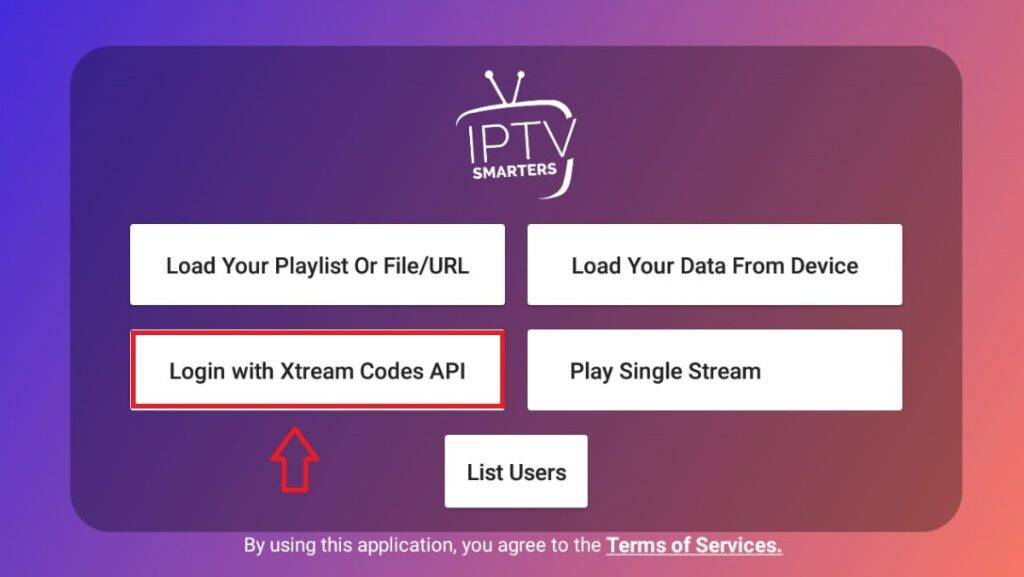
Step 17= Choose Xtream Code
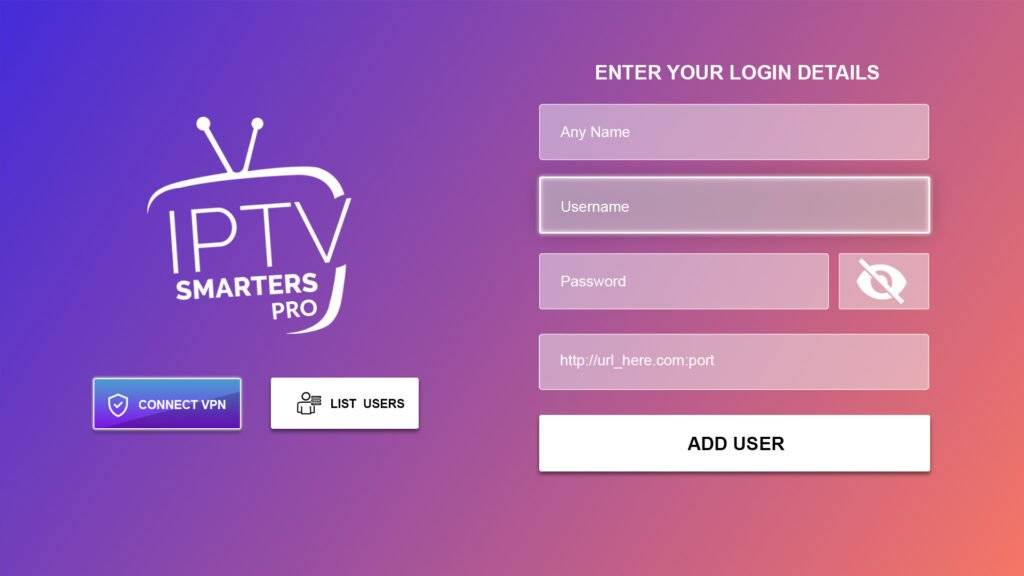
Step 18= Login with your username, password, and URL provided
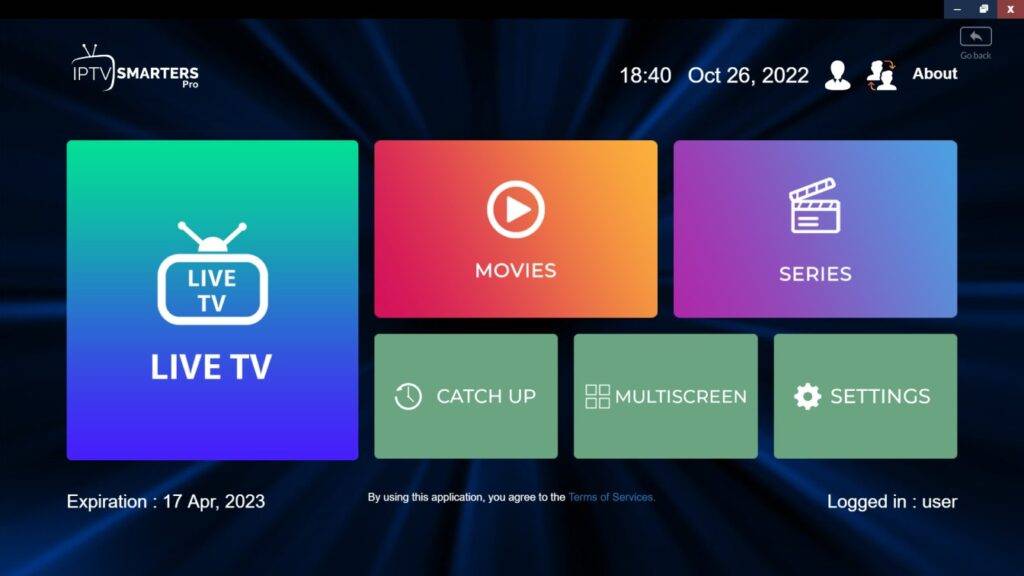
Step 19= Enjoy watching IPTV

Updated steps for current Fire TV devices (2026)

The steps above still work, with two changes on newer Fire OS versions:

  1. Developer options may be hidden. Go to Settings → My Fire TV → About and click your device name seven times to reveal it.
  2. The setting is now called Install unknown apps (not "Apps from unknown sources"), and you switch it on for Downloader specifically.

Our detailed Downloader guide walks through both with troubleshooting.

Logging in to IPTV Smarters

  1. Open IPTV Smarters from Your Apps & Channels.
  2. Choose Login with Xtream Codes API.
  3. Enter any name, then your username, password and server URL (with http:// and the port).
  4. Select Add user, then open the new user. Channels, movies and series download on first start.

Each field is explained in the Xtream Codes setup guide.

After installing

  • Delete the installer file in Downloader to save space — see free up Fire TV storage.
  • Set up the player — player selection, EPG time shift and auto-update are covered in IPTV Smarters settings.
  • Use a wired connection if channels buffer: an Ethernet adapter for Fire TV plugs into the power port.

Troubleshooting

ProblemFix
Install button greyed outTurn on Install unknown apps for Downloader
"Invalid credentials"Retype the login; include http:// and the port
Stuck loading channelsRestart the stick; clear the app cache
BufferingSee the buffering checklist

Prefer a TV-style guide? Compare TiviMate vs IPTV Smarters, and see the full Firestick IPTV guide.

Frequently asked questions

Why can't I find Developer options on my Fire TV Stick?

On newer Fire OS versions it's hidden. Go to Settings, My Fire TV, About, and click your device name seven times; Developer options then appears.

What login details do I need for IPTV Smarters?

Your server URL (including http:// and the port), username and password — the Xtream Codes details sent with your subscription or free test.

IPTV Smarters says 'invalid credentials' — what's wrong?

Usually a typo, a missing http:// or port in the server URL, or an expired login. Re-enter the details carefully, or ask your provider to confirm them.

SET IPTV

Install SET IPTV on a Samsung or LG Smart TV from the TV app store, then upload your IPTV playlist with the app's MAC address to…

Updated 17 May 2026

IBO PRO

Install IBO Player Pro on LG, Samsung and Android TV, then link your IPTV playlist with the app's MAC address and device key.…

Updated 17 May 2026