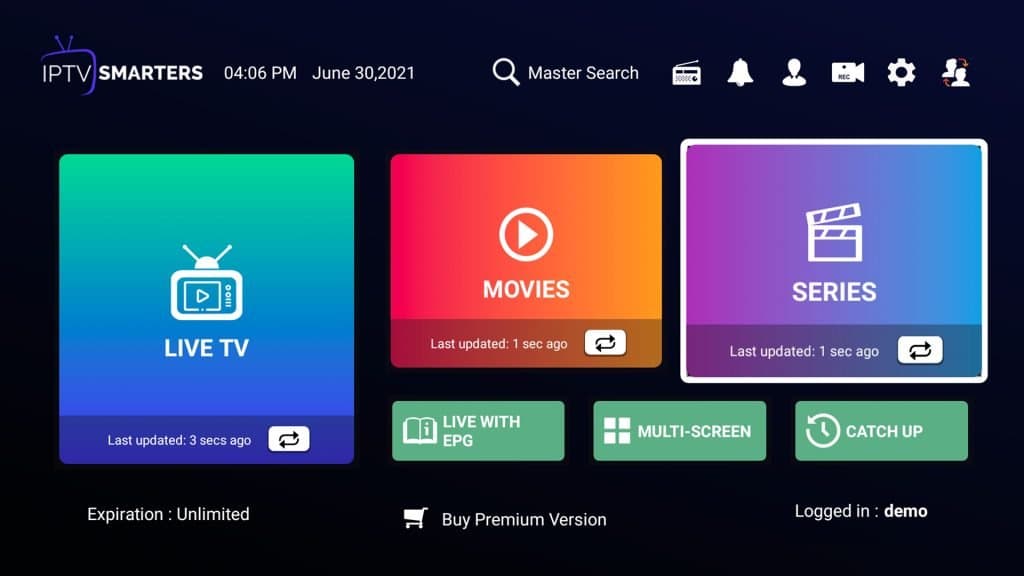
People search for an "IPTV Smarters Pro subscription" expecting to buy channels from the app. That's the most common misunderstanding about it. IPTV Smarters Pro is a player app. It contains no channels. You get the channels from an IPTV provider, then log in to that subscription inside Smarters. This guide explains how the two fit together, how to set it up on each device, and what to do when it doesn't work.
The app vs the subscription
| IPTV Smarters Pro (the app) | IPTV subscription (the provider) | |
|---|---|---|
| What it is | A video player with a TV guide and menus | Access to live channels and on-demand titles |
| Where you get it | App stores, or the developer's website | An IPTV provider such as 4kiptvsubs |
| What it costs | Free app (some versions offer paid extras) | A plan, e.g. from €20.99 a month |
| What you enter | Nothing until you add a login | Gives you the login details |
So an "IPTV Smarters Pro subscription" really means an IPTV subscription you watch in the Smarters app. IPTV apps vs providers explains the difference in more depth.
What you need
- An IPTV subscription with Xtream Codes or M3U login details. Every 4kiptvsubs plan includes both.
- A supported device: Android phones and tablets, Android TV and Google TV, Fire TV Stick, iPhone, iPad, Apple TV, Windows and Mac, and some Samsung and LG TVs.
- A stable connection: about 10 Mbps for FHD and 25 Mbps for 4K.
Setting up IPTV Smarters Pro
Log in with Xtream Codes (recommended)
- Open the app and choose Login with Xtream Codes API.
- Enter any name for the profile, then the username, password and server URL from your subscription email or WhatsApp message.
- Tap Add user. The app downloads the channel list, films, series and the TV guide.
Xtream Codes loads the guide and on-demand library automatically, which is why it's easier than M3U. The Xtream Codes setup guide covers common typing mistakes, such as the http:// prefix and the port number.
Or use an M3U link
Choose Load your playlist or file/URL, paste the M3U link and save. You may need to add the EPG (guide) URL separately. See how to add an M3U playlist.
Device-by-device guides
- Fire TV Stick: Smarters isn't in the Amazon store, so you install it with Downloader. Follow How to install IPTV Smarters on Firestick.
- iPhone, iPad and Apple TV: see Smarters Pro on Apple TV, iPhone or iPad.
- Samsung and LG TVs: see IPTV Smarters on Samsung and LG.
- Windows and Mac: see IPTV on Windows and Mac.
Features worth using
- TV guide (EPG): see what's on now and next. If it's empty, open Settings and refresh the EPG. See fix EPG problems.
- Catch-up: channels marked with a clock icon let you replay recent programmes, where the provider supports it. See IPTV catch-up.
- Multi-screen: watch up to four channels on one screen. Every stream counts as a connection, so a 1-device plan allows only one.
- Parental controls: lock categories behind a PIN. See IPTV parental controls.
- External player: if a channel plays badly in the built-in player, set VLC or MX Player as the player in Settings.
For the settings that make the biggest difference to picture and stability, see IPTV Smarters settings.
Troubleshooting
| Problem | Most likely fix |
|---|---|
| "Invalid login" | Recheck the server URL (including http:// and the port). Details are case-sensitive |
| Channels load but won't play | Switch the player to VLC in Settings, or try the HD version of the channel |
| Guide is empty | Refresh the EPG in Settings, then wait a few minutes |
| Buffering | Use Ethernet and raise the buffer size. See buffering fixes |
| App crashes | Clear the app cache, or reinstall. See app crashes |
Smarters Pro or another player?
Smarters is a good default because it runs on almost everything. On Android TV and Fire TV, many people prefer TiviMate for its guide and recording. TiviMate vs Smarters compares them. Your subscription works in both, so you can switch at any time.
Get a subscription to use in Smarters
Every 4kiptvsubs plan works in IPTV Smarters Pro: 20,000+ live channels, 120,000+ films and series, and login details sent on WhatsApp, usually within minutes. Start with the free 24-hour test, then see the plans and prices.
Frequently asked questions
Is IPTV Smarters Pro free?
The app itself is free to download on most platforms. It doesn't include channels. You need an IPTV subscription to watch anything.
Can I use one subscription on several devices with Smarters?
You can install Smarters on as many devices as you like, but the number of devices streaming at the same time is limited by your plan. A 1-device plan allows one stream, and a 2-device plan allows two.
Why does Smarters say my login is invalid?
Usually a typo in the server URL, username or password, or a missing http:// prefix or port. Copy the details exactly as sent, then contact support on WhatsApp if it still fails.